
Move Proven Decisions to Production—With Control.
Decision Control Tower is the governance layer around Decision Control. Your teams keep authoring and testing; Tower controls who can promote which version, through which workflow, and into which environment.

One Version. One Explicit Path to Production.
Define where decisions run, request a specific version, route it through the workflow your organization requires, and keep the release context with the promotion.
- 01DefineName environments and control who may reach them.
- 02RequestChoose the version, route, workflow, and required context.
- 03ReviewAssign accountable human tasks and authorized actions.
- 04PromoteMove the approved version and keep its release record.
Make the Release Path Explicit.
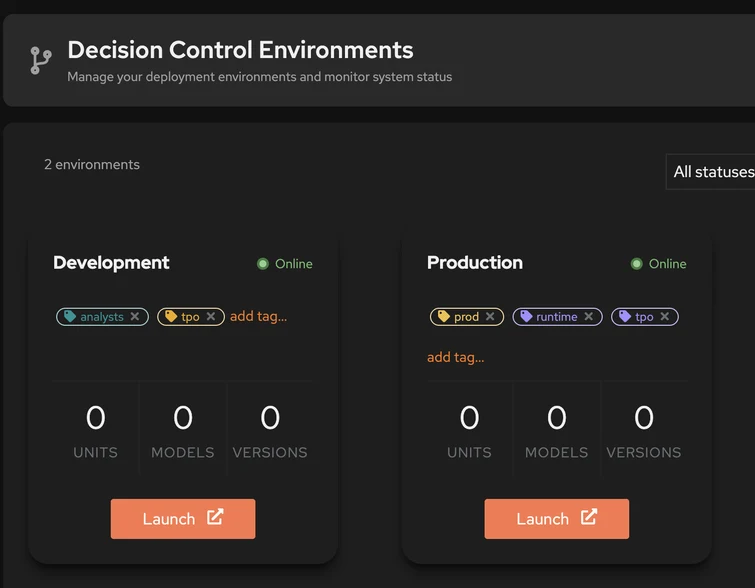
Define and classify environments such as Development and Production, monitor their status, and make every source-to-target promotion visible. Connect any standards-compliant OpenID Connect provider and apply role-based access to the environments and governance actions each user may reach.
Turn Governance Policy Into a Workflow.
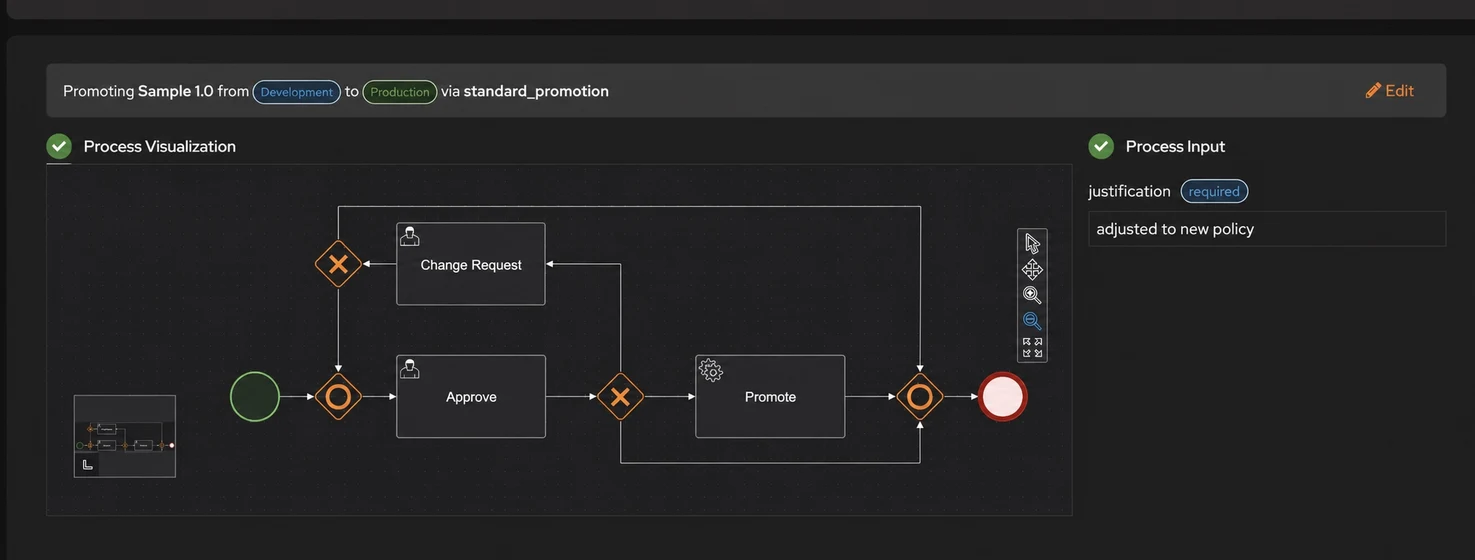
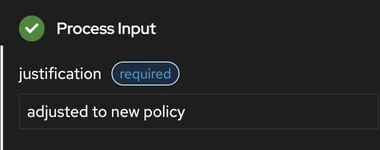
Use a custom promotion workflow—not a fixed approval form. Choose the source, target, version, and workflow; require context such as a business justification; and model change requests, human review, approval, and automated promotion steps.
Keep the Release Record With the Version.
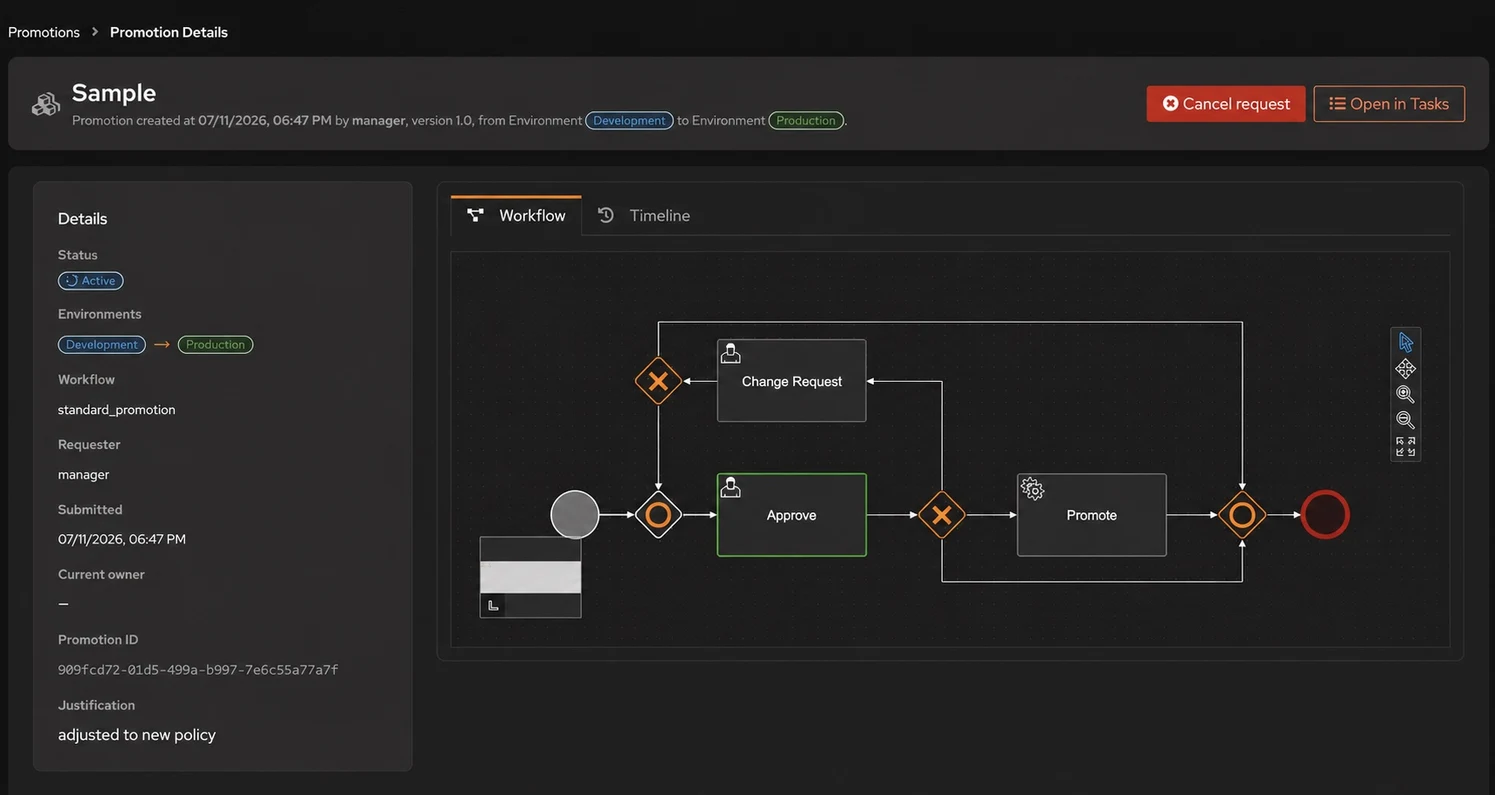
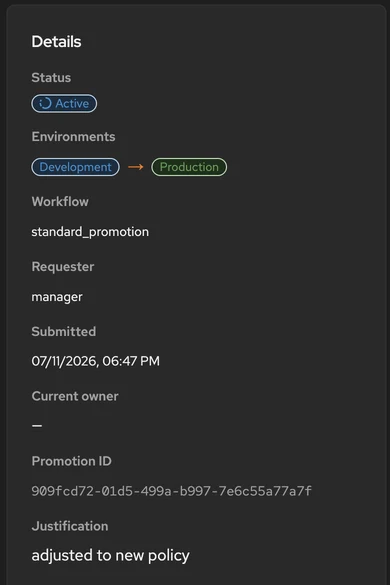
Follow each promotion from request through its current workflow state. Keep the model version, source and target environments, requester, justification, workflow, promotion ID, and related task context together in one reviewable record.
IT Stays in Control. Analysts Stay Autonomous.
RBAC. Approvals. Promotion. Traceability — owned by IT. Decision Control Tower is where IT defines the rules of engagement. Analysts author and publish freely within the boundaries IT sets — and nothing reaches production without passing through IT-defined governance.

RBAC
IT defines granular permissions for authors, reviewers, and approvers. Every action in Decision Control respects the roles and policies IT establishes.

Approval Workflows
IT defines promotion controls. Decision changes move dev → test → prod only after passing IT-approved gates. No unreviewed changes reach production.

Full Traceability
Who changed what, who approved it, when it was promoted. Immutable logs. Exportable for regulatory review.

Multi-Environment Promotion
Managed flow across environments. Instant rollback. Change notifications at every stage.

Git Integration
Version synchronization with your repositories. Governed change management that fits your DevOps.

Governance Dashboard
Promotion status, pending approvals, environment health — all decision assets, all environments.
Clear answers about governed promotion.
01What is the difference between Decision Control and Decision Control Tower?
02Does Tower replace our identity provider?
03Can we customize the promotion process?
04How does role-based access affect approvals?
05What information accompanies a review task?
06What evidence is retained for a promotion?
07Can we manage more than Development and Production?
08Does Tower change the decision logic?
Turn One Promotion PolicyInto a Working Control Flow.
Bring your environment model, approval rules, and identity provider. We’ll map one decision service from development to production in Decision Control Tower.
Start with one decision service, one promotion route, and the roles already used by your organization.